






Ahmet Ö.
Corporate
- Thread Author
- #1
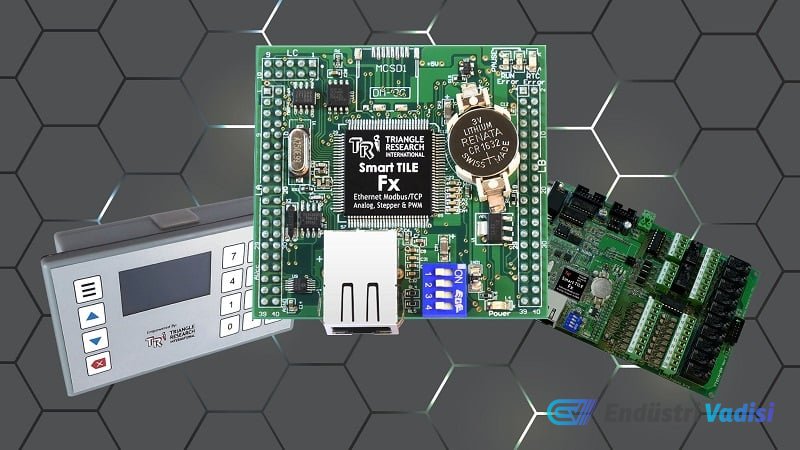
We present a practical guide covering the connection, wiring, and programming steps for Triangle Research International's Fx series PLC control units, which feature an open-card design. This tutorial is an introduction for engineers who want to use customizable PLC platforms in OEM and embedded automation applications.
### Fx Series PLC Hardware
This PLC series includes the necessary functionality for projects ranging from simple to complex. Ethernet, RS-232, 2 RS-485 ports, digital and analog input/output (I/O) capabilities are available in varying numbers depending on the model. I/O points can be easily expanded with the Modbus protocol.
The Fx2424 model, which was examined, has 24 digital inputs and outputs, 8 analog inputs, and 4 analog outputs.
### Basic Connection Setup
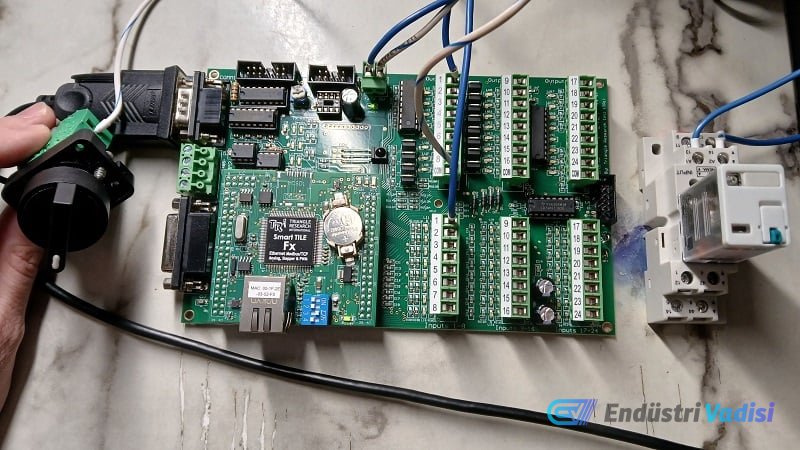
Connection to the PLC is established via RS-232 communication using a standard USB-Serial converter cable. An industrial power supply, a selector switch, and a mechanical relay were used as input/output devices.
The power connection is made to the header marked +24 V and 0 V. For inputs, the 0V of the power supply is connected to the switch, and from the switch to the input terminal. If a common power supply is not used, the 0V points of different power supplies are connected together.
For outputs, a cable is run from the +24 V power to relay terminal A1, to relay terminal A2, and to the output terminal. The common connection (COM) of the outputs should be connected to 0 V because the output current is greater than the input.
### Software and Programming
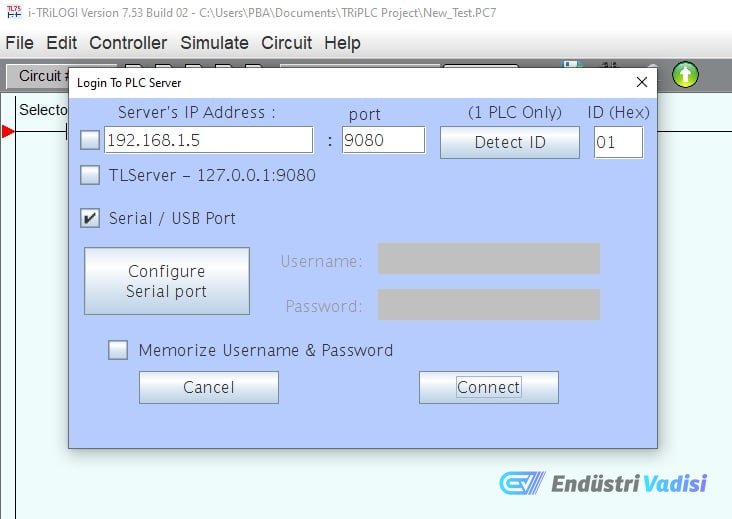
Fx PLCs are programmed with i-TRiLOGI software (7.5 or higher). In this tutorial, the RS-232 serial port was preferred over Ethernet. The PLC's COMM1 port is connected to the computer with a USB-Serial cable, Windows automatically installs the driver and assigns a COM port number.
The program software is opened, connect to Server from the Controller menu, select and configure the Serial/USB port. If the connection is successful, the port opens and the PLC is automatically recognized.
In the ladder diagram, a normally open contact (number 1) is added for the input, and the terminal can be selected from the I/O table or a new name can be given. A similar process is applied to add an output coil.
After the program is completed, it is uploaded to the PLC using the Program Transfer option in the Controller menu. A notification is received when the transfer is successful.
### Summary
This guide illustrates the most basic serial communication program. Future articles will cover analog I/O, Ethernet network configuration, and advanced BASIC-based commands. The Fx series is designed for flexible, durable, and long-lasting robotic connections.