




Ahmet Ö.
Corporate
- Thread Author
- #1
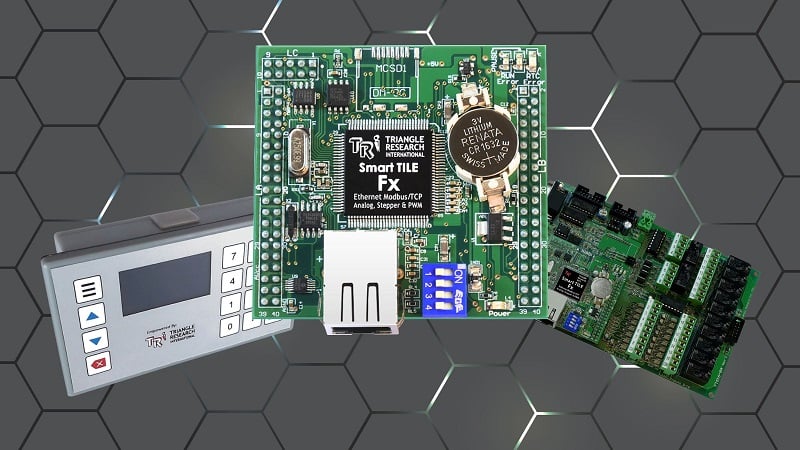
Triangle Research International's open-board FX series PLCs offer a different approach to control systems. This guide details the connection, wiring, and programming steps for the TRi PLC Fx controller. It provides a comprehensive start, from downloading a simple program via serial communication to hardware setup.
PLC hardware is typically used in the automation industry with various designs offering different levels of protection. Fx series PLCs offer Ethernet, RS-232, 2x RS-485, and both digital and analog input/output features depending on the model number. I/O points can be easily expanded using the Modbus protocol.
### Technical Specifications of the Fx2424 Model
- 24 digital inputs and 24 digital outputs
- 8 analog inputs
- 4 analog outputs
### Hardware and Connection
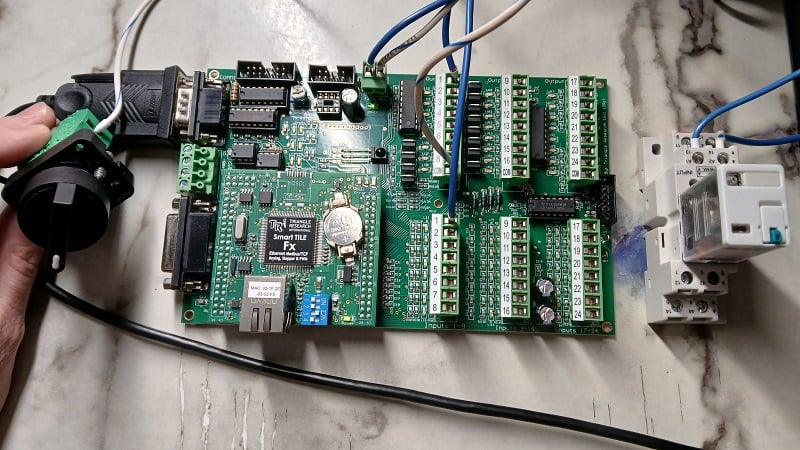
For starters, an RS-232 connection, one input, and one output device are used. A standard USB-to-Serial converter cable is recommended; cables with a Prolific chipset work without issues. A selector switch is used for input, and a mechanical relay for output. A 24V industrial power supply and cables of various lengths are sufficient to operate the system.
- Power connection is made to the header marked +24 V and 0 V.
- The input circuit is connected from 0 V to the switch, and from the switch to the PLC input terminal. No common power connection is needed.
- The output circuit is connected from +24 V to the relay input, and from the relay output to the PLC output terminal. The common COM terminal for outputs must be connected to 0 V.
### Programming with i-TRiLOGI Software
Fx PLCs are programmed using i-TRiLOGI software (version 7.5 and later). In this guide, an RS-232 serial connection is preferred; Ethernet connection will be covered later. The PLC's COMM1 port is connected to the computer with a USB-Serial cable, and the driver is automatically loaded.
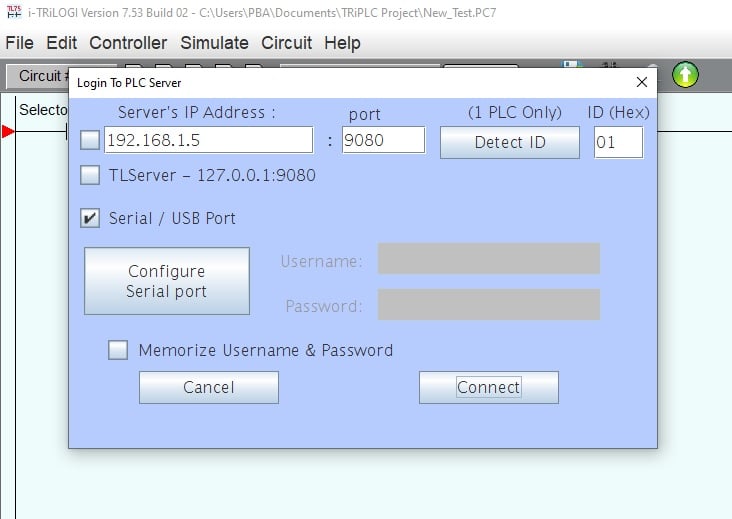
In the software, "Connect to Server" is selected from the Controller menu, the serial port is configured, and the connection is established. The ladder diagram program is simply started by clicking on the green workspace. Open/close contacts and coils are added from the Commands menu, and input and output terminals are assigned or renamed.
### Program Upload
Once the program is complete, it is transferred to the PLC via the "Program Transfer to PLC" option from the Controller menu. If the transfer is successful, a confirmation message is shown to the user.
This tutorial series presents a basic ladder diagram program example via serial connection. Future lessons will cover more complex topics such as analog I/O, Ethernet, advanced commands, and even BASIC functions.