







Cengiz Özemli
Academic
- Thread Author
- #1
## You Have a Modbus TCP Device, What's Next?
Although the Modbus protocol is one of the oldest automation protocols, it is more complex than digital I/O. So, once you have a Modbus TCP device, how do you use it?
I have a complicated relationship with industrial protocols: while trying out and getting a new device to work is exciting, it can require hours of sifting through manuals and forums to succeed. Modbus TCP is a widespread protocol due to its easy implementation over Ethernet and its history. However, good planning is essential when using the device.
### Modbus TCP Protocol and Features
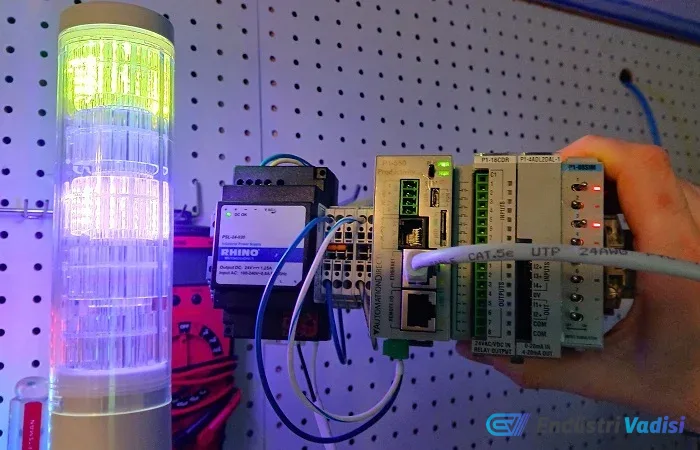
As an example, we will use the Patlite LA6-LAN 5-segment stack light. On this device, color selections are made via a web server, and each segment can be turned on and off via Modbus with a PLC.
The biggest difference between Modbus and other protocols is "consistency." While other protocols change packet length based on data type, Modbus uses only two variables: function code and starting address. This eliminates the need for an EDS file or complex profile, which is mandatory for Ethernet devices.
### Patlite LA6-LAN Features and Setup
- Default IP address of the device: 192.168.10.1
- The IP must be on the same subnet as the Modbus PLC
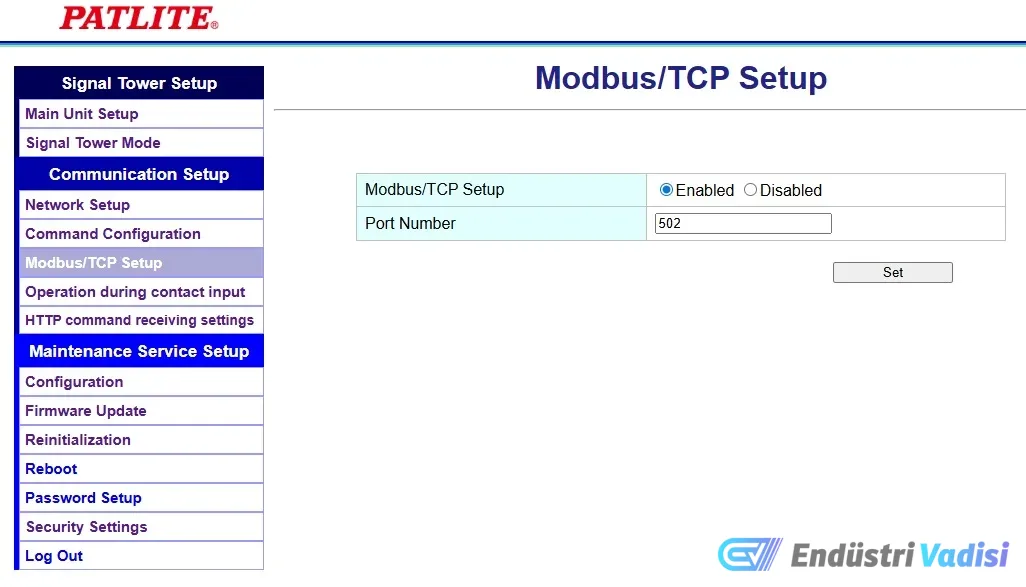
- Modbus must be enabled from the Modbus menu
- Standard port: 502
### Function Codes and Commands
According to the stack light manual:
- Read: Coils and registers can be read
- Write: Only registers can be written
- Function codes 6 and 16 should be used for controls
### Controlling Lights with Register Values
Lights have modes such as on, off, and flashing, so different 16-bit values are required, not just 0 and 1:
- On command: 257 (binary: 0000 0001 0000 0001)
- Off command: 256 (binary: 0000 0001 0000 0000)
- Flashing command: 258 (binary: 0000 0001 0000 0010)
### Modbus Write Operation with PLC
- AutomationDirect PLC: MWX (Modbus Write) command is used
- In the program, values 257 or 256 are assigned to tags with toggle switches
- IP address and port settings are configured; a 500 ms interval is sufficient for automatic polling
- Starting address: 1
- Function code: 16 (for multiple registers)
### Using Modbus with Rockwell Studio 5000
- A ready-made AOI file for Modbus TCP client instruction is downloaded
- Relevant tags are assigned, and values 257 or 256 are sent to Data.HoldRegisters tags using MOV commands
- Device IP address and port settings are configured
- Operation type: 16 (write multiple coils)
- Starting address: 1, 5 16-bit registers are sent
- Polling time: 500 ms
### Conclusion
Perhaps the biggest advantage of the Modbus protocol is that it simplifies the process of adding new devices and sending messages. This common protocol also offers the opportunity to learn and gain experience with different control methods.