




Cengiz Özemli
Academic
- Thread Author
- #1
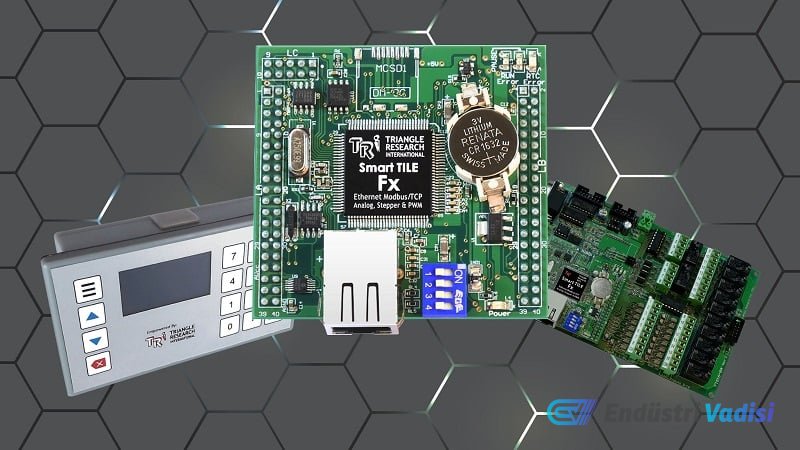
Learn step-by-step how to connect, wire, and program Triangle Research International's Fx series PLCs with an open-card architecture. This guide provides practical information for engineers, starting from the basic hardware setup of customizable PLC platforms to downloading a simple program via serial communication.
### Hardware Features and Connection
Fx series PLCs cater to a wide range of applications with functions such as Ethernet, RS-232, 2x RS-485, digital and analog inputs/outputs. The example model Fx2424 has 24 digital input and output points, 8 analog inputs, and 4 analog outputs. I/O points can be easily expanded with Modbus network support.
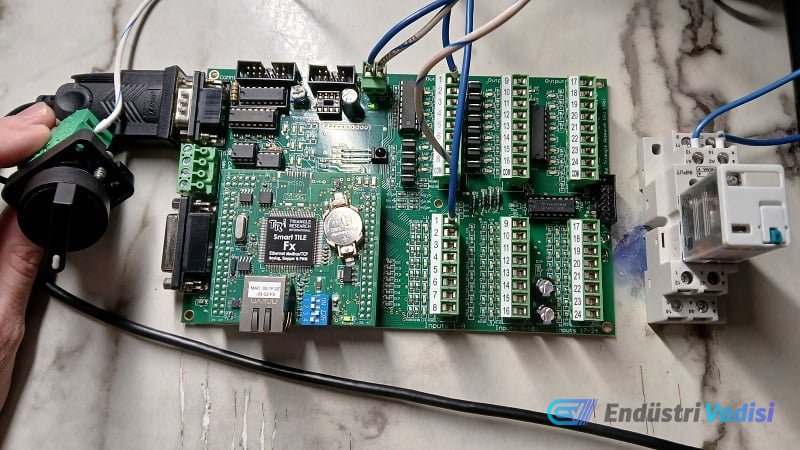
For connection, an RS-232 serial port and a standard USB-Serial converter cable are used. A Prolific chipset was preferred for this connection, as some chipsets may not always operate stably. A selector switch (input) and a mechanical relay (output) were chosen for the project.
Power connection is made to the header labeled +24 V and 0 V. The inputs are sourcing; therefore, the 0 V line is connected to the switch, and from the switch to input 1 terminal. If the same power supply is used, a separate common connection is not required; for different power supplies, the 0 V lines must be connected in common.
The outputs are sinking. The 24 V line is connected to relay terminal A1, and relay terminal A2 is connected to output 1 terminal. The COM terminal for outputs must always be connected to the load power supply's 0 V.
### Software and Programming
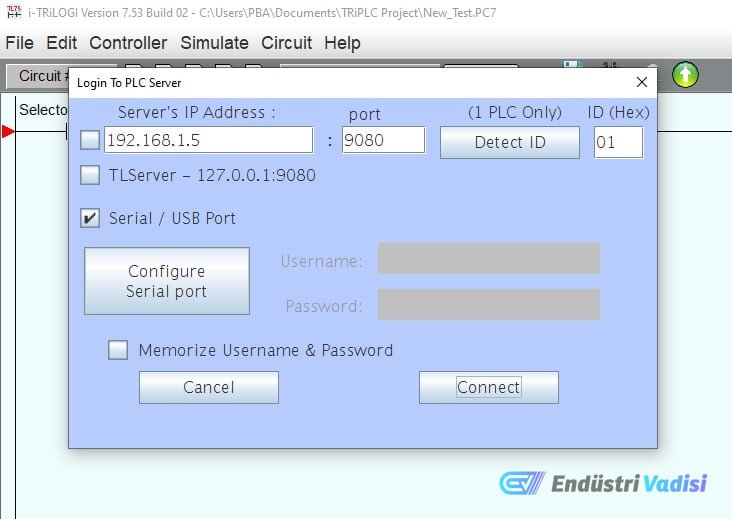
Fx PLCs are programmed with i-TRiLOGI software (version 7.5 or higher). In this tutorial, a simpler RS-232 serial connection is preferred over Ethernet. In the software, the PLC's COMM1 port is connected to the computer with a USB-Serial cable, and the Windows driver is automatically assigned.
In the software, "Connect to Server" is selected from the Controller menu, followed by "Serial/USB Port" and port configuration. Once the port is open, communication with the PLC begins.
For programming, commands are selected in the green area (referred to as the rung) on the ladder logic. A normally open contact (input) and an output coil (output) are added. Both points can be selected from the list and named or modified.
After the program is completed, the program is uploaded using the "Program Transfer to PLC" command from the Controller menu. Successful upload is indicated on the screen.
### Summary
This guide describes how to create the simplest ladder logic program for the TRi PLC Fx series connected via a serial port. Future guides will cover advanced features such as analog I/O, Ethernet networks, and BASIC functions. TRi PLCs are designed for flexible, durable, and long-lasting robotic connections.