






Elif Özaksu
Corporate
- Thread Author
- #1
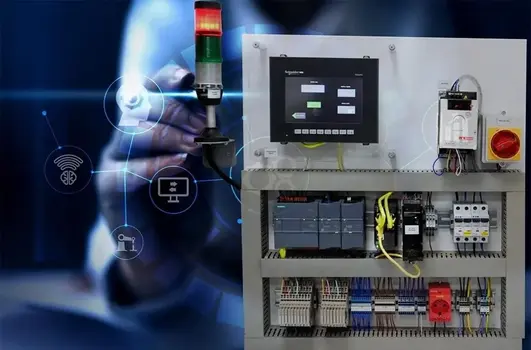
The Programmable Logic Controller (PLC) is one of the cornerstones of industrial automation.
For those who want to learn PLC programming, we have prepared a step-by-step, practical guide that can rank high on Google. Here are 5 essential steps to start PLC programming!
1. Choosing the Right PLC Equipment
Before you start PLC programming, you need to choose the right hardware and software.Which PLC Brand?
- Siemens (S7-1200, S7-1500) → Common for industrial applications
- Allen-Bradley (MicroLogix, CompactLogix) → Popular in the US market
- Mitsubishi (FX Series) → Affordable and user-friendly
- Delta, Omron, Schneider → Alternatives suitable for different budgets
Required Software - TIA Portal (Siemens)
- RSLogix / Studio 5000 (Allen-Bradley)
- GX Works (Mitsubishi)
- Codesys (Multi-brand support)
2. Learning Basic Ladder Diagram (LD) Logic
PLC programming begins with ladder diagrams. Its structure, similar to electrical schematics, makes it easy to understand.Basic Commands:
- NO (Normally Open) Contact → XIC (Examine If Closed)
- NC (Normally Closed) Contact → XIO (Examine If Open)
- Output (Coil) → OTE (Output Energize)
Example Simple Program:
Code:
|----[ ]----[ ]----( )---|
| BUTON SENSOR MOTOR |- If BUTTON (NO contact) and SENSOR (NO contact) are active, the MOTOR runs.
3. Connecting the PLC to the Computer and Uploading the First Program
To program a PLC, you need the correct communication protocol and connection settings.Step-by-Step Connection:
- Connect the PLC to the computer with a USB/RS485/Ethernet cable.
- Set the COM port settings correctly in the software.
- Put the PLC into online mode.
- Upload and test the program.
4. Using Timers, Counters, and Data Blocks
For real applications, timers, counters, and memory blocks are essential.Timer Usage:
- TON (Timer On Delay) → Provides output after a specific time.
- TOF (Timer Off Delay) → Turns off the output after the signal is cut.
Counter Usage:
- CTU (Count Up) → Up counter
- CTD (Count Down) → Down counter
Example Application:
Code:
|----[ ]---------[TON T1 5s]----( )---|
| BUTON (5 saniye sonra) LED |- If the BUTTON is held down, the LED turns on after 5 seconds.
5. Debugging and Real-World Applications
PLC programs are prone to errors. If it's not working correctly:Debugging Techniques:
- Online Monitoring → Monitor the program in real-time.
- Watch Table → Track variable values.
- Force Function → Manually trigger inputs/outputs.
Real-Life Project:
- When the sensor detects material, the motor should run.
- After 5 products pass, the conveyor belt should stop.
- The counter should reset with the reset button.
Conclusion: Advice for Those Who Want to Learn PLC Programming
✔ Practice with free PLC simulators.✔ Review Siemens and Allen-Bradley training documents.
✔ Share your questions on the Endüstri Vadisi Forum!