



Ahmet Ö.
Corporate
- Thread Author
- #1
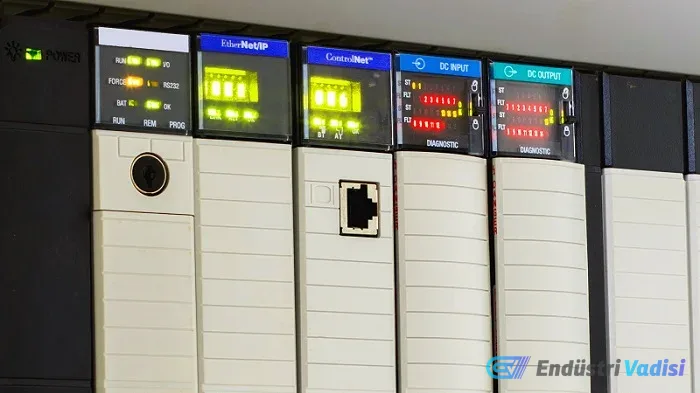
## Accessing and Using System Values in a PLC
It's easy to retrieve the input/output values of local and remote modules and network nodes in a PLC. But how do you access and use the system data located within the PLC itself?
In many ways, a PLC is like a computer. Its usage varies depending on the operator. For simple applications, digital inputs/outputs, counters, and timers may suffice. However, advanced users need deeper features to add special commands, configure communication settings, or create motion control.
In this article, we'll discuss the PLC's system-level variables. This data may not always be directly visible to the user but is accessible for analysis and logical operations.
### PLC System-Level Data
- First Scan bit: Activates on the first scan after power-up or after the operating mode is changed to "Run." It is typically used to set initial values for variables and to indicate power loss or mode changes.
- System Clock: Provides the current time as an integer or a special time type, replacing the need for timers.
- CPU Mode Status: Indicates whether the CPU is in Program, Stop, or Run mode. Mode changes are usually updated in Run mode, so be aware of potential delays.
- Error Information: Provides information about the error type, location, and severity for HMIs or remote display panels.

- Scan Time: The time it takes for the PLC to complete one cycle is an important performance indicator and is automatically monitored in some PLCs.
- Model and Software Information: Information such as the model number, firmware version, and the name of the running program can be accessed without needing programming software.
### Brand-Specific Examples
- Rockwell Automation PLCs: All status information is located in the S: file. The First Scan bit is used as the S:FS tag. Other values can be retrieved with Get System Value (GSV) and Set System Value (SSV) instructions. The controller status is read as a 16-bit integer, and details are found in specific documentation.
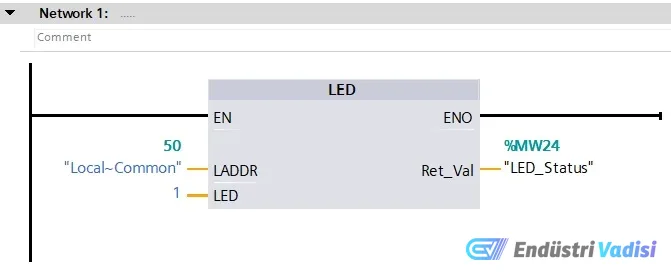
- Siemens S7-1200 and S7-1500: System time, run/stop mode, and error information are accessible via function blocks. For example, Get_IM_Data returns the CPU identification, and LED returns the CPU mode.
- AutomationDirect PLCs: System tags are directly accessible, and comprehensive tag lists can be viewed with programming assistance.
### Importance of System Values
This information can be critical for optimizing program code and achieving improvements in control and display when working with numerous remote modules. Each PLC provides access to system values in different ways; therefore, finding the correct data in your own PLC can sometimes be challenging.
If you share your experience accessing system values in different PLC models, this information will benefit other users in the industry.