




Erkan Teskancan
Corporate
- Thread Author
- #1
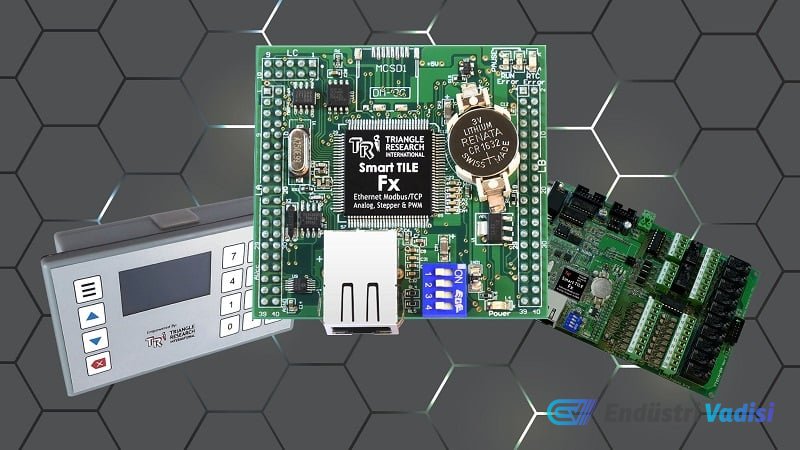
We present a step-by-step connection, wiring, and programming guide for Triangle Research International's open-panel Fx series PLC controllers. This tutorial is a practical starting point for engineers who want to work on customizable PLC platforms for OEM and embedded automation applications.
All steps are explained in detail, from hardware setup that performs the basic functions of the PLC to simple program download via serial communication. The Fx series features extensive capabilities such as Ethernet, RS-232, 2x RS-485, digital and analog inputs/outputs. I/O points can be easily expanded with Modbus support.
### Features of the Fx2424 Model
- 24 digital inputs and 24 digital outputs
- 8 analog inputs
- 4 analog outputs
Important points for programmers:
- Connection was made via RS-232.
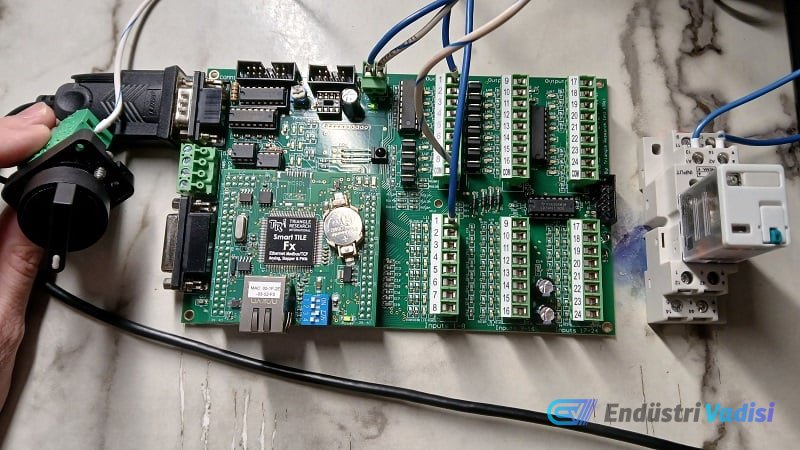
- A selector switch and mechanical relay were used as input and output devices.
- A USB-Serial converter cable is recommended for connection; a Prolific chipset is preferred.
### Hardware Connections
- Connect the power source to the +24 V and 0 V pins.
- Since the inputs are sourced, connect a cable from the 0 V source to the switch, then from the switch to the input terminal.
- If different power sources are used, the 0 V lines must be connected for common return.
- Since the outputs draw current, +24 V is connected to the output relay, the relay output is connected to the output terminal, and the COM terminal of the outputs must be connected to the 0 V power supply.
### Software and Programming
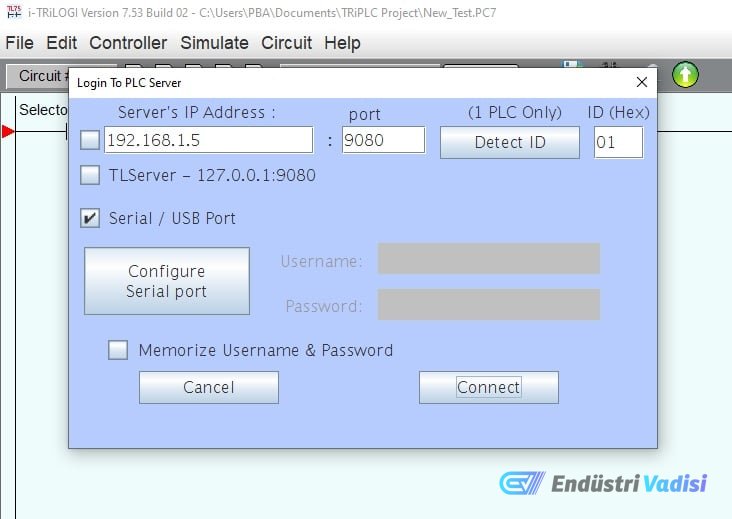
- Fx PLCs are used with i-TRiLOGI software version 7.5 or newer.
- For connection, the PLC's COMM1 port is connected to the computer with a USB-Serial cable.
- Serial port configuration is done via the software, and connection to the PLC is established.
- A simple ladder logic program is created by adding commands in the green workspace, and input/output points can be selected from the I/O table.
- After the program is completed, the program is transferred to the PLC from the Controller menu.
This introductory program is the most basic level of serial-connected PLC application. Future guides will cover advanced topics such as analog I/O, Ethernet networks, and BASIC functions.
The TRi PLC Fx series is designed for flexible, durable, and long-lasting robotic connections.