






Ahmet Ö.
Kurumsal
- Thread Author
- #1
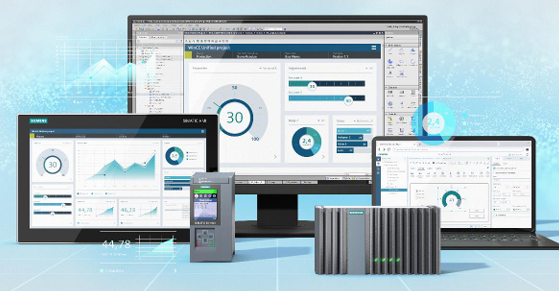
I've compiled critical notes from Ümit Kalender's newly released video for those experiencing issues starting WinCC Unified Simulation or struggling with errors like "HTTP Error 500" when trying out the new features that come with TIA Portal V21.
During version transitions (V18 -> V19 -> V21, etc.), there are some changes in the simulation infrastructure, and this can lead to the runtime not opening at all, especially due to overlooked details during the installation phase.
⚠️ 1. Critical Installation Detail: PC Runtime V21
When you try to run the V21 simulation, the system actually warns you during installation. For the simulation to work properly, the "WinCC Unified PC Runtime V21" package must be installed on your computer. Installing only the TIA Portal engineering software may not be sufficient for Unified simulation. Make sure you don't skip this detail.🛠️ 2. WinCC Unified Configuration Tool
If the simulation doesn't work or the page doesn't open in the browser, the first place to check is: WinCC Unified Configuration Tool. This tool has been around since V16, but its importance is still significant.- Purpose: To configure certificates, user management, and port settings.
- Problem: If another software on your computer is using port 443 or if certificates are corrupted, the simulation will not start.
- Solution: Running this tool and ensuring the steps (Certificate, User Management, Archive Settings, etc.) turn into a green checkmark by clicking "Apply" again usually solves most problems.
🇹🇷 3. Turkish Operating System and "SwacLogin" Error
The video specifically addresses SwacLogin and authentication issues that users of Turkish Windows might encounter.- Sometimes user groups or certificates may not be configured correctly due to operating system language settings.
- In this case, it is necessary to recreate the certificates (via the Configuration Tool) or ensure that user management is set to "Local" via TIA Portal.
🌐 4. HTTP Error 500 & IIS Settings
If you receive an "HTTP Error 500 Internal Server Error" in the browser:- It is highly probable that the WinCC Unified website in Windows' IIS (Internet Information Services) manager has stopped.
- You may need to manually Start the relevant service via IIS.
🔄 5. User Management Tip
When downloading a project to the simulation (Download to device);- If you uncheck "Keep current user administration", TIA Portal's users will overwrite the runtime's users.
- If you leave it checked and there are no users in the runtime yet, you won't be able to log in. The cleanest method for the first download is to uncheck this box (or select "Overwrite all") and embed the admin user into the device.
In summary: If you've upgraded to V21 and the simulation doesn't respond when you click the "Start" button; first check if PC Runtime V21 is installed.