



Elif Özaksu
Kurumsal
- Thread Author
- #1
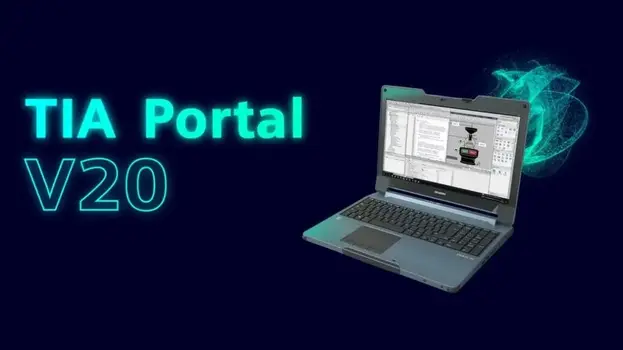
TIA Portal V20 Innovations: Detailed Technology Guide
Siemens has announced the V20 version of TIA Portal, an indispensable software in the world of industrial automation. This update significantly enhances user experience, performance, and integration capabilities. In this article, we will examine the most important innovations of TIA Portal V20 in detail.
1. Key Innovations of TIA Portal V20
✔️ AI-Powered Assistance
- Code Completion AI: AI-based automatic code completion in LAD, FBD, and SCL editors.
- Error Prediction: Predicts potential errors during the project compilation phase and warns the user.
- Energy Efficiency Optimization: Suggests scenarios with the lowest energy consumption for PLC programs.
✔️ Enhanced Digital Twin Integration
- Direct Connection with NX MCD: Real-time synchronization between mechanical designs (CAD) and automation programs.
- Increased Simulation Speed: Testing processes in a virtual environment are 40% faster with PLCSIM Advanced.
✔️ Cloud and Edge Computing Support
- MindSphere Connection: Transfers data to the cloud for remote monitoring and analysis.
- Local AI with Industrial Edge: Ability to upload local machine learning models to S7-1500 PLCs.
✔️ New Hardware Support
- New CPUs for the S7-1500 series (e.g., CPU 1518-4 PN/DP MFP).
- Enhanced integration with G120X and G120C inverters.
- ET 200SP Open Controller support.
2. Innovations in HMI and SCADA (WinCC V20)
✔️ Modern User Interface Updates
- Dark Mode: Reduces eye strain during long working hours.
- New Graphics Library: More detailed and realistic HMI objects.
✔️ Multi-Touch and Gesture Controls
- Pan & Zoom feature: Easily zoom in on maps and engineering drawings on touchscreens.
- Gesture Navigation: Gesture recognition in the Comfort Panel series.
✔️ Web and Mobile Access
- HTML5-Based Dashboard: Access HMI via browser.
- Smartphone Support with WinCC Unified (iOS/Android).
3. Developments in PLC Programming (STEP 7 V20)
✔️ Ease of OB (Organization Block) Management
- Automatic OB Creation: Automatically adds backup OBs for hardware errors or interruptions.
- Time-Scheduled Task Management: Dynamically adjusts task priorities to optimize CPU resources.
✔️ Enhancements in SCL Language
- Syntax Highlighting and Debugging: New tools that speed up the debugging process.
- Functional Block Libraries: Ready-to-use mathematical and logical functions.
✔️ Enhanced Diagnostics with Profinet IO-Devices
- Automatic Configuration on Device Change.
- Network Performance Monitoring (Profinet Diagnostics).
4. Performance and User Experience Improvements
⏩ Faster Compilation Times
- 30% faster compilation speed for large projects (for SSD users).
🔄 Multi-User Engineering
- Simultaneous work on the same project (Git-based version control).
📊 Project Management Conveniences
- Automatic Documentation Generation (PDF/Excel).
- Change Tracking System (Audit Trail).
5. TIA Portal V20 vs V19: Comparison
[th]
Feature
[/th][th]TIA V19
[/th][th]TIA V20
[/th]Conclusion: Why Choose TIA Portal V20?
- Smarter factories with AI-powered automation.
- Increased production efficiency with digital twin and simulation.
- Time savings in engineering processes with a fast and easy interface.
Additional Resources
🔹 Siemens Official TIA Portal V20 Page🔹 YouTube: “TIA Portal V20 Full Tutorial” – Siemens Industry
🔹 E-Book: “Industry 4.0 with TIA Portal V20” (PDF)
Feel free to write to me with your questions and comments! 🚀