

Erkan Teskancan
Kurumsal
- Thread Author
- #1
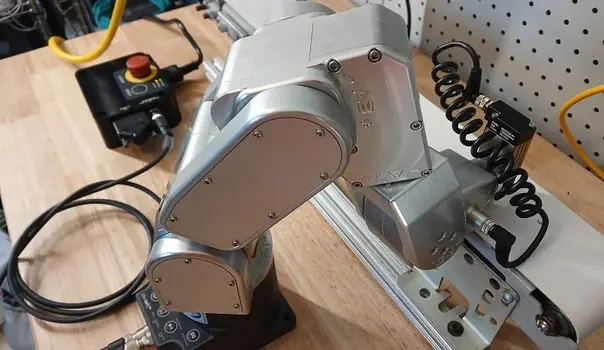
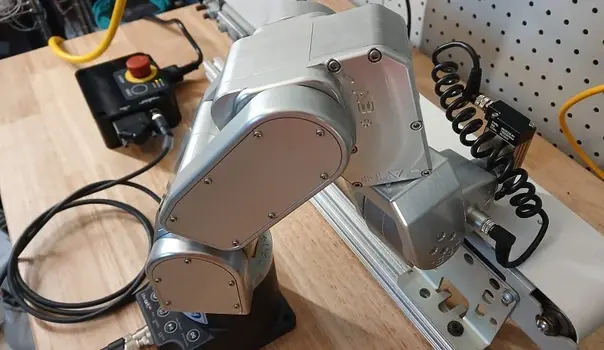
Unlike traditional controller-based robots, the Meca500 robot arm relies on external devices for logic and I/O control. In this guide, we explain how to write, save, and run function-based motion programs on the robot using MecaPortal, triggered by a PLC.
In our previous articles, we focused on the setup of the Meca500 robot arm and direct driving by sending target points via Ethernet from a PLC. In this article, we detail the process of writing programs directly to the robot, saving them, and running them with a signal from the PLC.
### Meca500 Robot Control and Programming
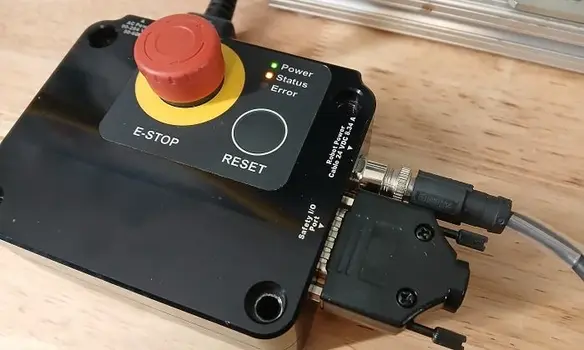
In standard industrial robots, programs are stored in their own memory and run from a teach pendant or controller. However, with the Meca500, the robot does not process any I/O data, stop during a program, or calculate new positions. All I/O logic is managed by the PLC, and the robot program is triggered at the desired time. This structure is ideal for applications requiring consistent and repeatable motion.
### Motion Programming Approaches
The robot is commanded using two main methods:
- If sensor input, point modification, or calculations based on external conditions are required, point information is determined by the PLC and sent directly to the robot. In this case, there is no need to write a program to the robot.
- If the robot performs a fixed and cyclical motion, the program is written in MecaPortal, saved, and called by the PLC to run.
### Writing a Program in MecaPortal
1. Turn on the robot and connect it to the PC with an Ethernet cable. Connecting the robot, PLC, and PC with a network switch is a practical solution.
2. Open the robot's IP address (default 192.169.0.100) in a web browser.
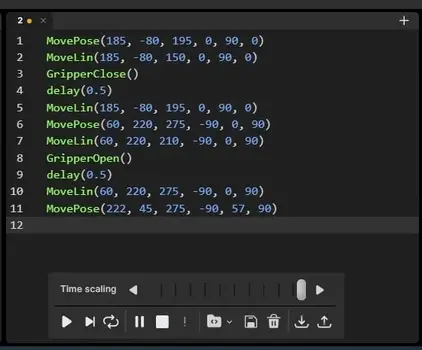
3. Design the motion program in the MecaPortal code editor.
4. Set the speeds for the three motion types:
- SetCartLinVel(100) (Linear speed)
- SetCartAngVel(45) (Angular speed)
- SetJointVel(25) (Joint speed)
5. To determine target points, use the jogging interface to move the robot close to the target. This clarifies the axis directions.
6. Motion commands are usually MoveJoints or MovePose. However, MoveLin is preferred for situations requiring precise gripping.
7. Gripping motions are controlled with GripperOpen and GripperClose commands.
### Example Program Flow
- Go to the gripping position in front of the robot
- Move forward with MoveLin
- Close gripper and short wait
- Return to the starting position
- Move to the release position to the left of the robot
- Open gripper and wait
- Return to the final position
- Move to a random intermediate position
### Saving and Running the Program with a PLC
- Save the program to the robot's memory, named as an integer, using the save icon below the code editor.
- On the PLC side, robot control is acquired with the Connect FB block.
- The program number (of REAL type) is executed on the robot using the Meca500StartOfflineProgram FB block.
- Robot commands are executed sequentially, and program flow is managed as long as the PLC is connected.
### Conclusion
Meca500 robots offer alternative programming methods to traditional controls. This flexible structure allows the robot to be used more effectively in various applications.