




Ahmet Ö.
Kurumsal
- Thread Author
- #1
## For PLC Beginners: 5 Critical Features to Know
When stepping into the world of PLCs, the long lists of features in technical specification tables can be daunting. While all features are important in certain situations, many are optional, and projects can be executed without many of them. However, there are some very crucial features that absolutely must be considered for project success.
### 1. Input/Output (I/O) and Module Flexibility
Many PLC series offer models with some digital and analog terminals embedded in the CPU. This means that initially, you might only need to purchase a single product. Different model numbers may exist for digital and relay outputs, input types (sinking vs. sourcing), or analog options. Making the right choice can lead to significant cost savings.
Also, pay attention to the ability to add additional modules later. Embedded I/O might be sufficient for now, but support for more modules provides an advantage for the future of your project.
### 2. Software Licensing Options
PLC software varies; there are often free or low-cost entry-level versions that offer a limited command set or program size. There can be cost differences between annual subscriptions and perpetual licenses. While engineers generally prefer perpetual licenses, they pay attention to whether software updates are included.
License keys can be obtained via USB dongle, hard copy, or digitally (via email). Some advanced software is offered without licensing and purchase costs, which is ideal for small projects and learning, but cannot be used without purchasing PLC hardware.

### 3. Programming Languages
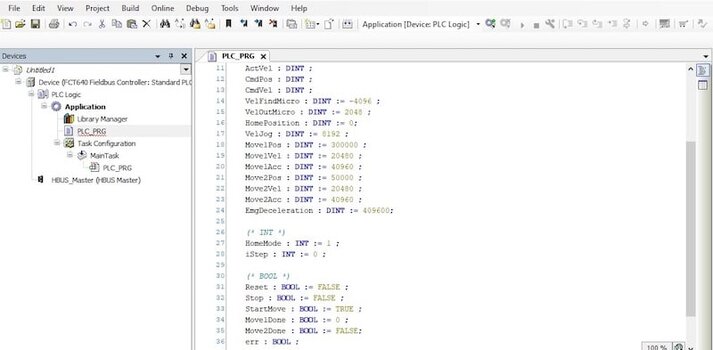
The IEC 61131 standard defines three official PLC languages and two languages from earlier revisions. The most common languages are Ladder and Structured Text in North America, and Function Block Diagram and Structured Text in Europe. Your software supporting multiple languages provides an advantage for learning a new language. Who will read the program in the future and troubleshooting capabilities also influence language selection.
### 4. Network Support
Almost all modern PLCs have network support, but the port structure does not always indicate the supported protocols. The most common port is RJ45, which can support protocols like Ethernet, PROFINET, or EtherCAT. Some ports can be multi-protocol and selectable via software.
You must clearly define what network support your project requires. If protocols like Ethernet, Modbus TCP, or EtherCAT are needed, choose PLCs that can accommodate communication modules. Purchasing a PLC without evaluating your network requirements can lead to additional costs and problems.
### 5. Web Server Feature
While a web server feature in a PLC is not mandatory, it can be an important factor when choosing between two models. A web server is a program stored within the PLC and runs on the PLC, not on your computer. Some web servers provide features such as limited programming, IP address configuration, or I/O and alarm monitoring.
Access is possible via a web browser using the web server's IP address, and some controls can be performed without additional HMI hardware. This feature is particularly useful for remote monitoring and simple control applications.
As you gain experience with PLC projects, these features will become clearer. It's important to focus on the priorities without getting too bogged down in the details. Also, don't hesitate to experiment with different PLCs and programming languages; this variety will enhance your skills.